How to program a Foam CNC Router?
Leave a message

Hey there! I'm a supplier of Foam CNC Routers, and today I'm gonna share with you how to program a Foam CNC Router. Whether you're a newbie looking to get into foam cutting or a seasoned pro wanting to brush up on your skills, this guide is for you.
Understanding the Basics of a Foam CNC Router
First things first, let's talk a bit about what a Foam CNC Router is. It's a machine that uses computer numerical control (CNC) to precisely cut foam materials. These machines are super useful in a variety of industries, like signage, packaging, and even in the creation of custom-shaped insulation.
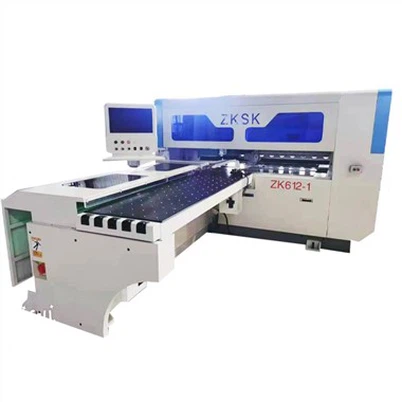
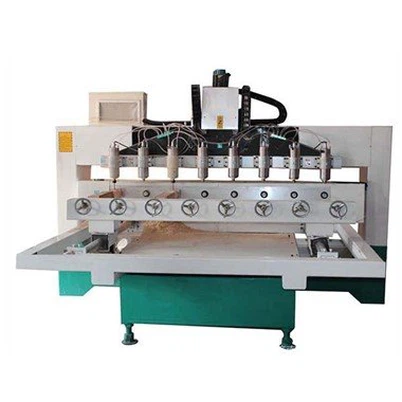
The main components of a Foam CNC Router usually include a frame, a cutting tool (like a hot wire in some cases), motors to control movement, and a control system. The control system is where the programming comes in, and it's what allows you to tell the machine exactly how to cut your foam.


Getting Your Workspace Ready
Before you start programming, you need to make sure your workspace is set up properly. This means having your Foam CNC Router in a stable location, with enough space around it for easy access. You'll also want to make sure the power supply is stable and that all the connections are secure.
Another important thing is to have the right software installed on your computer. Most Foam CNC Routers come with their own software, but there are also some third - party options available. Make sure you have the latest version of the software installed, as it will usually have bug fixes and new features.
Designing Your Cutting Pattern
The first step in programming your Foam CNC Router is to design the pattern you want to cut. You can do this using a CAD (Computer - Aided Design) software. There are many different CAD programs out there, some free and some paid. Popular free options include SketchUp and FreeCAD, while paid ones like AutoCAD offer more advanced features.
When designing your pattern, you need to keep in mind the size and shape of the foam block you're using. You also need to consider the thickness of the cutting tool. For example, if you're using a hot wire, you need to account for the width of the wire when designing your pattern.
Once you've designed your pattern in the CAD software, you'll need to save it in a format that your Foam CNC Router's software can understand. Common formats include DXF and SVG.
Converting Your Design to G - Code
After you've designed your pattern, the next step is to convert it into G - code. G - code is a programming language that tells the CNC machine how to move and what to do. Most Foam CNC Router software has a built - in feature that can convert your CAD design into G - code.
When converting to G - code, you'll need to set some parameters. These include the cutting speed, the feed rate (how fast the cutting tool moves), and the depth of cut. The cutting speed depends on the type of foam you're using and the power of your cutting tool. For example, softer foams can usually be cut at a faster speed than harder ones.
The feed rate is also important. If it's too fast, the cutting tool may not be able to cut through the foam properly, and if it's too slow, it can waste time. You'll need to experiment a bit to find the right settings for your specific machine and foam material.
Loading the G - Code into the Router
Once you've generated the G - code, it's time to load it into your Foam CNC Router. This is usually done by connecting your computer to the router using a USB cable or a network connection.
Open the control software on your Foam CNC Router and look for the option to load a G - code file. Navigate to the location where you saved your G - code file and select it. The software will then load the file and display the cutting path on the screen.
Before you start the cutting process, it's a good idea to do a dry run. This means running the machine without actually cutting the foam. This allows you to check if the cutting path is correct and if there are any issues with the G - code.
Starting the Cutting Process
If the dry run goes well, you're ready to start cutting the foam. Make sure the foam block is securely placed on the cutting table. You can use clamps or other fixtures to hold it in place.
In the control software, find the option to start the cutting process. The machine will then start moving the cutting tool according to the G - code instructions. You should monitor the cutting process closely to make sure everything is going smoothly.
During the cutting process, you may notice some issues, like the cutting tool getting stuck or the foam not being cut properly. If this happens, stop the machine immediately and check for any problems. It could be due to a wrong G - code setting, a dull cutting tool, or an issue with the foam itself.
Troubleshooting Common Issues
Here are some common issues you might encounter when programming and using a Foam CNC Router and how to fix them:
Uneven Cutting: This could be due to an uneven foam block or a problem with the cutting tool. Make sure the foam is flat and level on the cutting table. If the cutting tool is dull, replace it.
Overheating: If the cutting tool overheats, it could be because the cutting speed is too high or the feed rate is too low. Adjust these settings accordingly.
G - Code Errors: If the machine isn't following the cutting path correctly, there may be an error in the G - code. Double - check the G - code file and make sure all the parameters are set correctly.
Using a Hot Wire EPS Foam Cnc Cutting Machine
If you're using a hot wire EPS foam CNC cutting machine, there are some additional things to keep in mind. The hot wire needs to be heated to the right temperature. This temperature depends on the type of foam you're cutting. You can usually adjust the temperature in the control software.
Also, make sure the hot wire is properly tensioned. If it's too loose, it may not cut the foam cleanly, and if it's too tight, it could break.
Conclusion and Contact for Purchase
Well, that's a basic guide on how to program a Foam CNC Router. It may seem a bit complicated at first, but with practice, you'll get the hang of it.
If you're interested in purchasing a Foam CNC Router or have any questions about programming or using one, don't hesitate to reach out. We're here to help you get the most out of your foam cutting projects. Whether you're a small business or a large - scale manufacturer, we have the right Foam CNC Router for you.
References
- "CNC Machining Handbook" - A comprehensive guide on CNC machining, including programming and operation.
- Online forums and communities dedicated to CNC routers, where users share their experiences and tips.